100% Offline & Private Processing

Welcome to SnapVista Workspace

A fully-featured vector graphics editor built directly inside your browser tab. Capture, annotate, redact, and export instantly without leaving the safety of your device.

SnapVista Editor Workspace
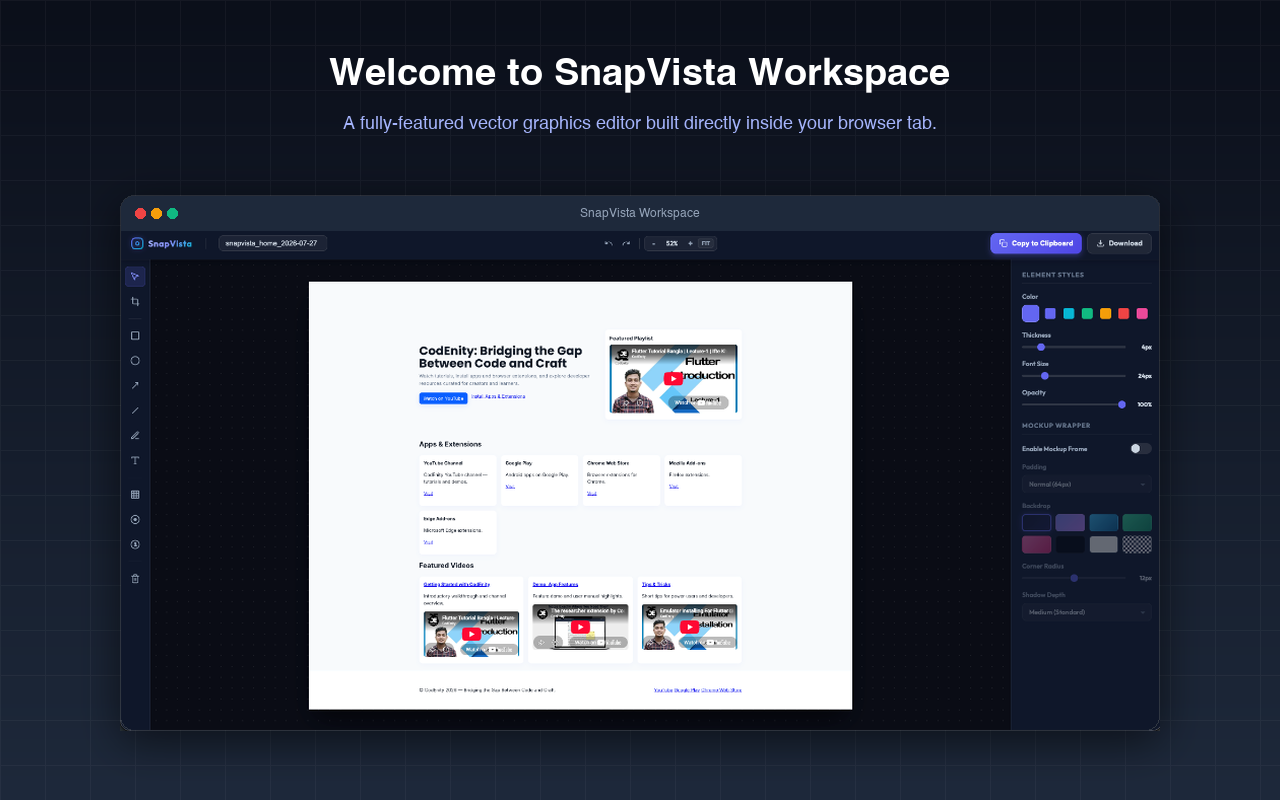
SnapVista Workspace Screenshot

Supercharge Your Screenshots

Go beyond simple image capture. SnapVista provides pro-level capture modes combined with an advanced vector editing suite right in your browser.

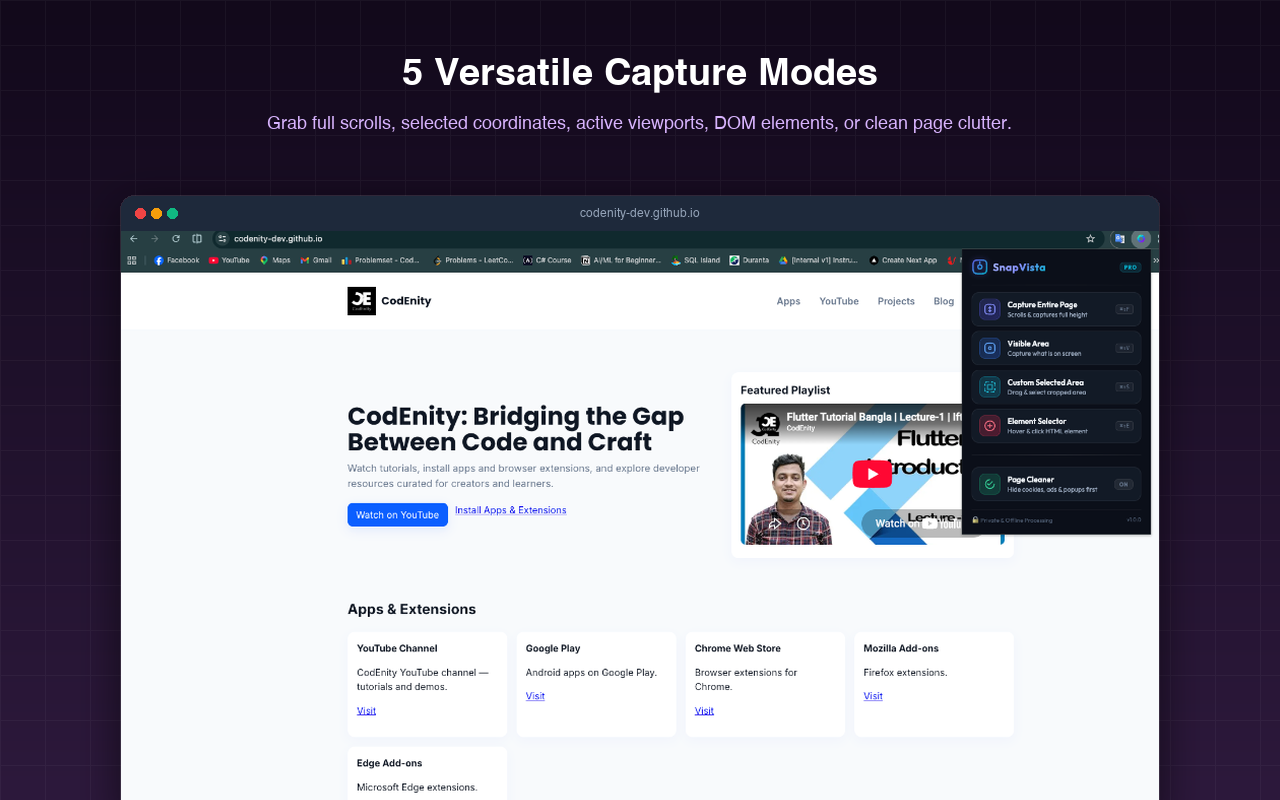
5 Versatile Capture Modes

Grab full scrolls, selected coordinates, active viewports, DOM elements, or clean page clutter before saving.

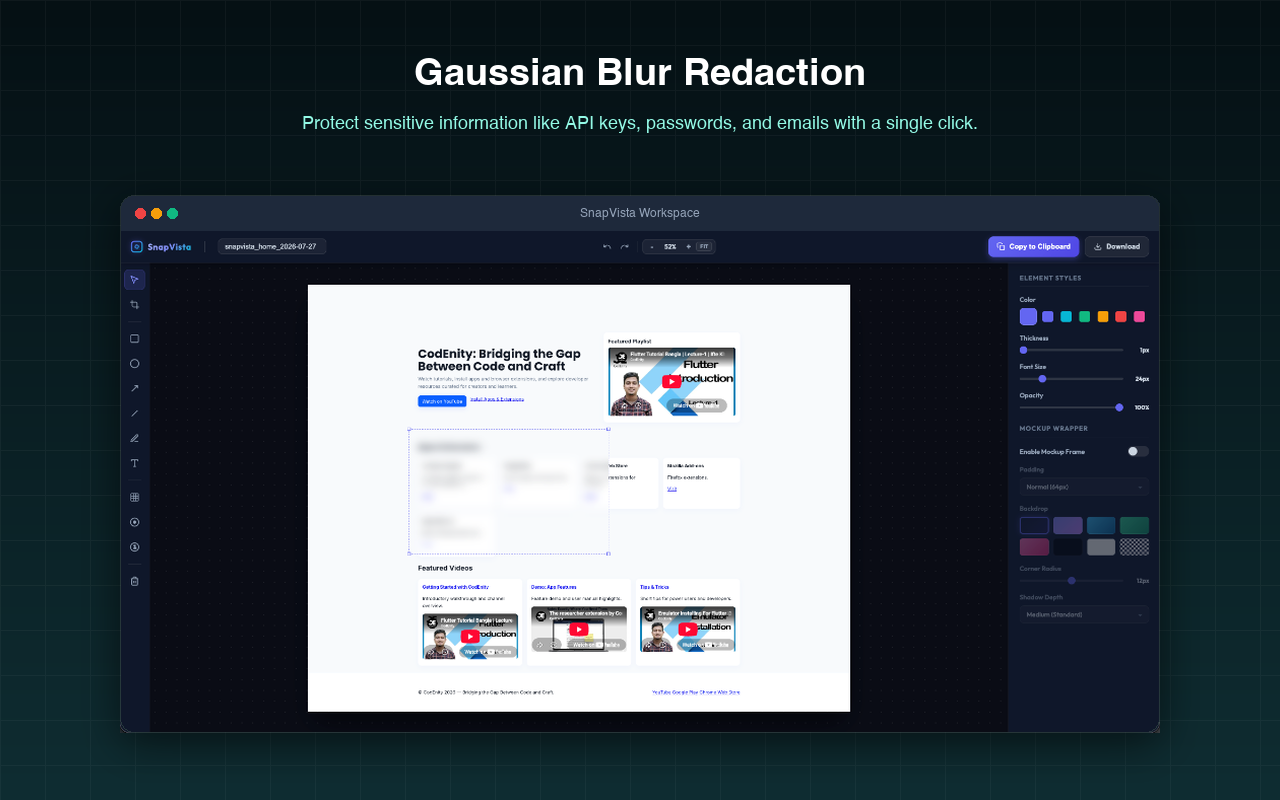
Gaussian Blur Redaction

Protect sensitive information like API keys, passwords, profiles, and emails with a single click.

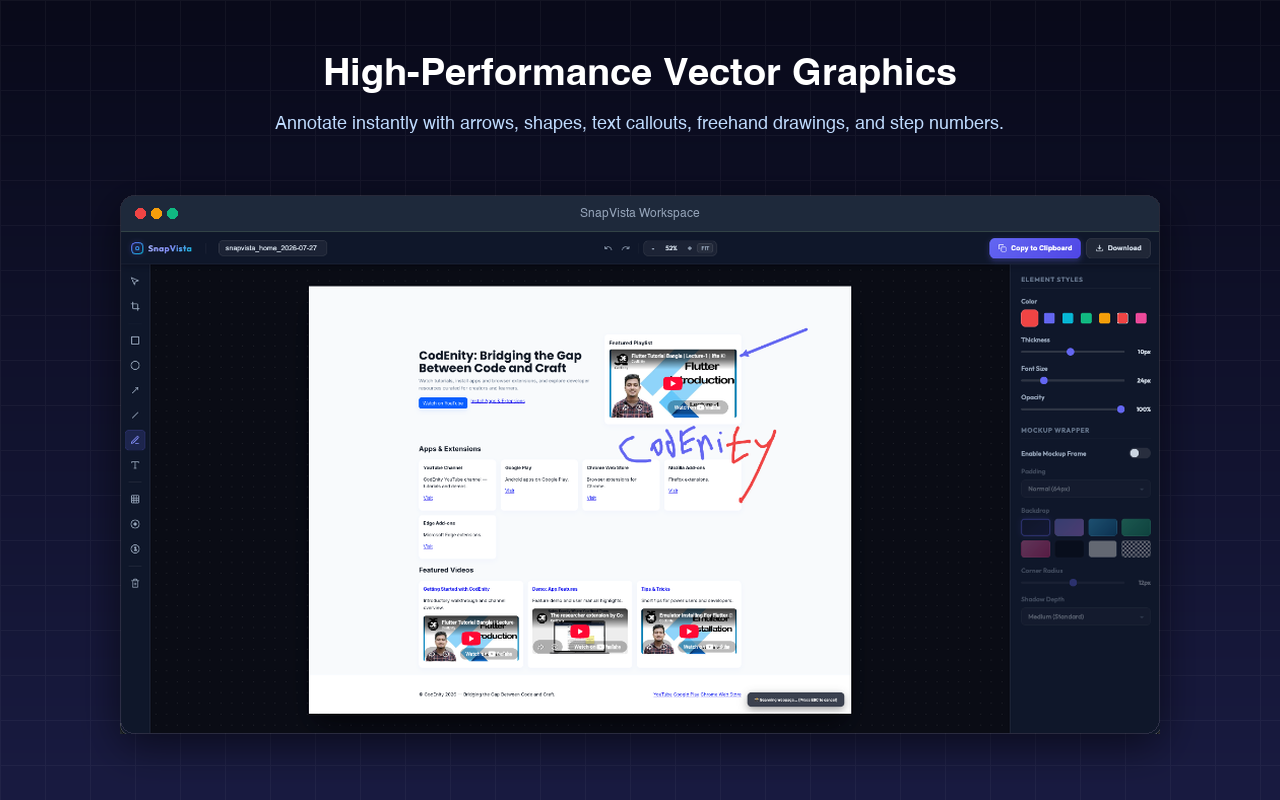
High-Performance Vector Annotations

Add pixel-perfect arrows, outlines, custom text callouts, freehand pen drawings, and step counters instantly.

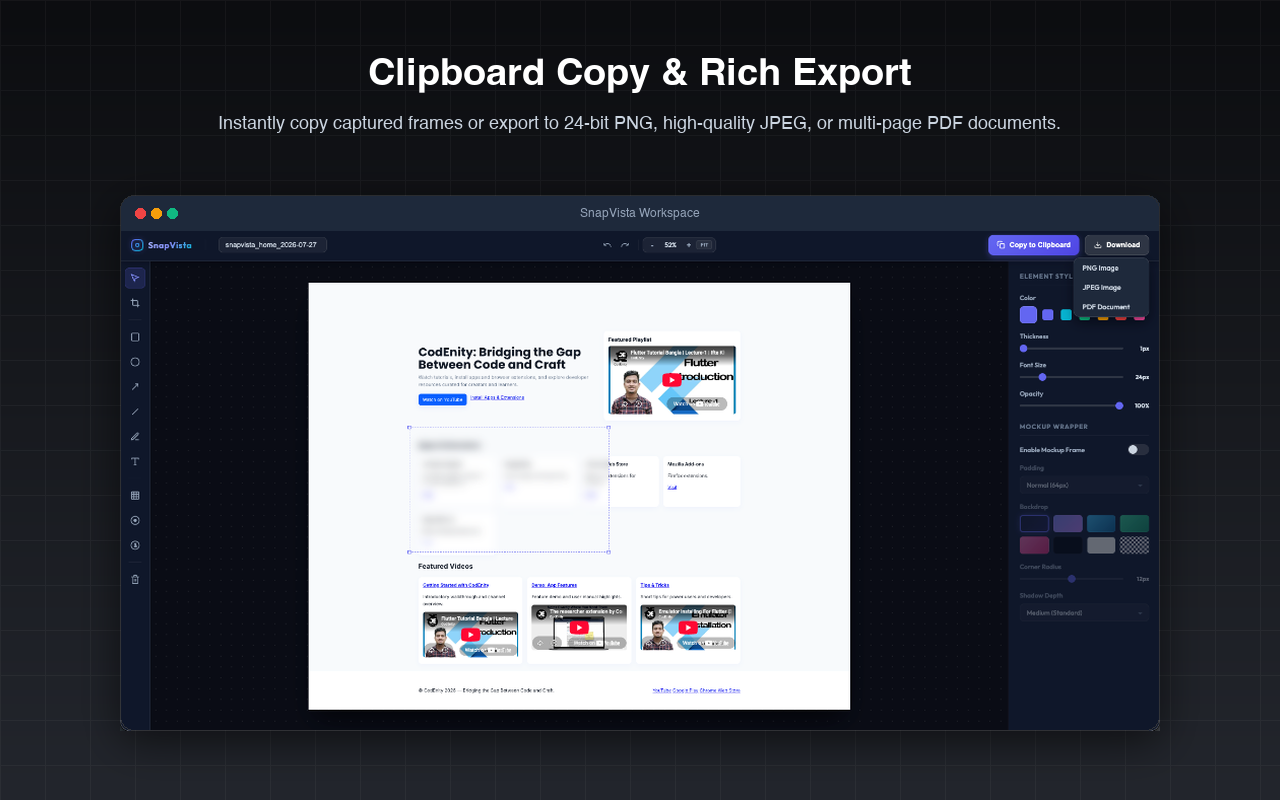
Clipboard Copy & Rich Export

Instantly copy captured frames or export to 24-bit PNG, high-quality JPEG, or multi-page PDF documents.

5 Versatile Capture Modes Popup UI
Gaussian Blur Redaction Tool in Action
High-Performance Vector Graphics Toolbar
Clipboard Copy & Export Format Select Options

Designed to Protect Your Flow

Built as a local-first browser extension, we guarantee security and high performance by eliminating cloud dependencies entirely.

100% Offline Processing

Stitching, vector path rendering, and file format compilations occur directly inside your local browser sandbox. No internet required.

Zero Server Uploads

We never host or upload your captured images. Your sensitive charts, private communications, or code remains exclusively on your device.

No Tracking or Analytics

SnapVista contains no telemetry scripts, performance tracker libraries, or cookies. We focus 100% on the core utility utility without spywares.

Private. Sandboxed. Secure.

Check out our complete, transparent Privacy Policy. Find out exactly how browser permissions (like scripting and activeTab) are utilized strictly for the extension's rendering logic.

Frequently Asked Questions

Got questions about SnapVista? Here are quick answers to the most common queries.

The `activeTab` permission allows SnapVista to capture the visible screen area when you click the extension popup. It does not monitor your browser background or have access to any other open tabs.
The Page Cleaner uses the standard `scripting` API to temporarily hide visual clutter like cookie banners, sticky headers, or floating sidebars, giving you a clean page before taking your screenshot. It doesn't modify the permanent files or remote data.
Yes! You can load external PNG or JPEG images directly into the SnapVista vector editor tab and use our full suite of shapes, text tools, and Gaussian blur overlays.
All exports (PNG, JPEG, PDF) are processed inside the browser and downloaded directly into your system's default Downloads folder, or saved onto your clipboard based on your clicks.

Capture and Annotate Instantly

Transform how you save and share mockups, reports, code snippets, and designs. Add SnapVista to your browser today.

Install SnapVista Workspace